Powering Physical AI with Real-World Ego Datasets

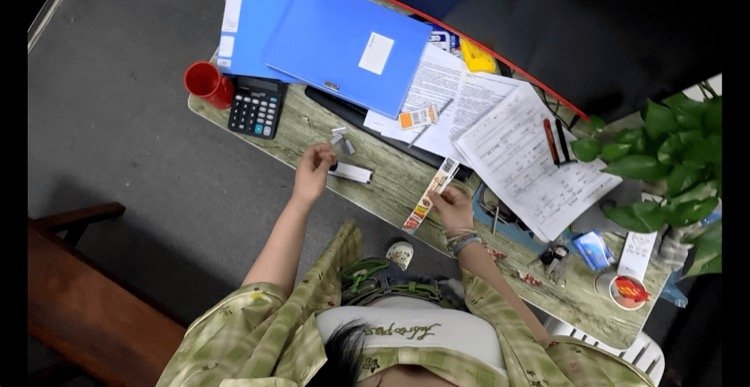
Image Annotation vs Video Annotation for Robot Training
Content Menu
● Image Annotation vs Video Annotation: The Core Difference
>> What Is Image Annotation for Robot Training?
>> What Is Video Annotation for Robot Training?
● How Image and Video Annotation Compare
● Which Annotation Method Fits Your Robot’s Task?
>> Object Detection, Segmentation, and Visual Inspection
>> Object Tracking and Dynamic Navigation
>> Manipulation and Multi-Step Task Understanding
● Why Egocentric Video Matters for Embodied AI
>> Annotate State Changes, Not Just Action Names
>> Human Demonstrations Need an Embodiment Bridge
● What Public Robotics Datasets Reveal
● Annotation Cost: Compare Accepted Supervision, Not Raw Volume
>> A More Useful Cost Framework
● A Practical Hybrid Annotation Workflow
>> Step 1: Define the Training Objective
>> Step 2: Build an Annotation Ontology
>> Step 3: Preserve Complete Episodes
>> Step 4: Combine Spatial and Temporal Labels
>> Step 5: Test the Delivery in the Training Pipeline
● Quality Metrics That Matter Beyond Label Counts
● How Virdyn Supports Image and Video Annotation Projects
● Choose the Annotation Strategy Around the Learning Problem
>> Is Video Annotation Always Better for Autonomous Robot Training?
>> Can Image Annotation Be Created From Video?
>> Does Every Video Frame Need Manual Annotation?
>> Are Annotated Human Videos Enough to Train a Robot Policy?
>> What Should a Dataset Pilot Include?
>> Can Synthetic Data Replace Real-World Annotation?
Image annotation vs video annotation for autonomous robot training is a choice about what your robot needs to learn. Images provide supervision for recognizing objects, surfaces, and spatial relationships. Annotated video adds continuity: how objects move, when contact occurs, and whether an action changes the environment.
My recommendation is to choose supervision around the robot’s failure modes, not the recording format. A robot that misidentifies a component needs different training data from one that recognizes it correctly but releases it too early.
For many embodied AI projects, the strongest approach is hybrid: image annotation for visual precision, combined with video annotation for tracking, interaction understanding, and task progression.
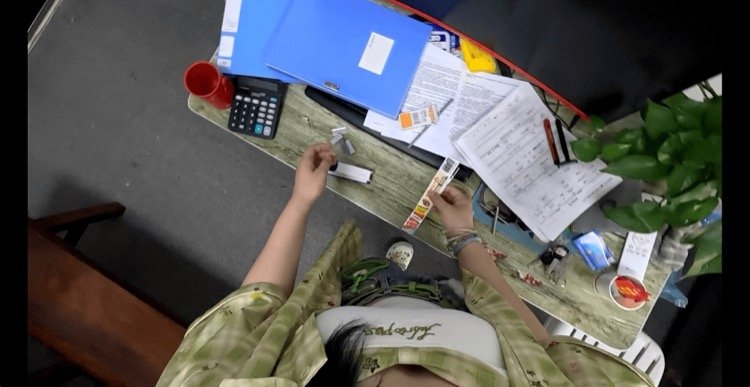
Image Annotation vs Video Annotation: The Core Difference
What Is Image Annotation for Robot Training?
Image annotation assigns structured labels to individual frames. Common annotation types include:
-
Bounding boxes identifying object locations.
-
Segmentation masks outlining objects or surfaces.
-
Keypoints marking joints, handles, or component landmarks.
-
Class labels describing object categories.
-
Attributes identifying visible states, such as open or closed.
For an industrial robot inspecting a workstation, image labels can distinguish a correctly positioned component from a misplaced one.
Images can come from still cameras or sampled video frames. The defining feature is that each image is labeled independently, without necessarily preserving relationships across time.
What Is Video Annotation for Robot Training?
Video annotation labels sequences while retaining their temporal structure. It can include frame-level labels, persistent object identities, action intervals, and state transitions.
A sequence might show an operator approaching a drawer, grasping its handle, pulling it open, and retrieving a tool. Annotation can distinguish these stages and connect the same hand, drawer, and tool across frames.
However, video annotation is not automatically temporal annotation. Independently labeling extracted frames does not provide tracking identities or action boundaries unless those relationships are explicitly recorded.
How Image and Video Annotation Compare
| Comparison | Image annotation | Video annotation |
|---|---|---|
| Primary supervision | Appearance and spatial structure | Appearance, continuity, and events |
| Typical labels | Boxes, masks, keypoints, attributes | Tracks, action segments, state transitions |
| Best starting point | Detection, segmentation, inspection | Tracking, interaction analysis, task progression |
| Main quality risks | Incorrect classes or boundaries | Identity switches, boundary errors, temporal drift |
| Workflow advantage | Independent samples are easier to distribute | Interpolation can reduce repeated labeling |
| Main limitation | Missing motion and sequence context | Greater review and synchronization complexity |
Neither method is universally more accurate or economical. Suitability depends on the learning objective, label complexity, scene difficulty, and acceptance criteria.
Which Annotation Method Fits Your Robot’s Task?
Object Detection, Segmentation, and Visual Inspection
Image annotation is often the practical starting point when the model must identify what is present and where it is located.
Typical applications include:
-
Detecting packages before warehouse picking.
-
Segmenting tools on a manufacturing bench.
-
Identifying product defects.
-
Locating handles, switches, or connectors.
For these tasks, diverse viewpoints and difficult examples may contribute more than thousands of nearly identical neighboring frames.
Video remains useful as a collection source. Teams can extract informative frames while preserving the original recordings for later temporal annotation.
Object Tracking and Dynamic Navigation
Video annotation becomes more valuable when identity and motion matter.
A warehouse robot may need to maintain awareness of the same pedestrian as that person moves behind shelving. Persistent track identifiers support this objective in a way that isolated boxes cannot.
Navigation projects may also require depth, geometry, localization, and sensor information. Choosing video annotation does not remove these additional data requirements.
Manipulation and Multi-Step Task Understanding
Manipulation involves transitions that a single image may leave ambiguous.
A hand near a cup could be reaching, grasping, releasing, or recovering from a failed attempt. Temporal context helps distinguish these events.
For assembly, household assistance, and laboratory workflows, useful annotations can include:
-
Reach, contact, grasp, lift, and release intervals.
-
Object state before and after interaction.
-
Successful and unsuccessful attempts.
-
Recovery actions following interruption.
These labels support learning about task structure, but they are not automatically robot control commands.
Why Egocentric Video Matters for Embodied AI
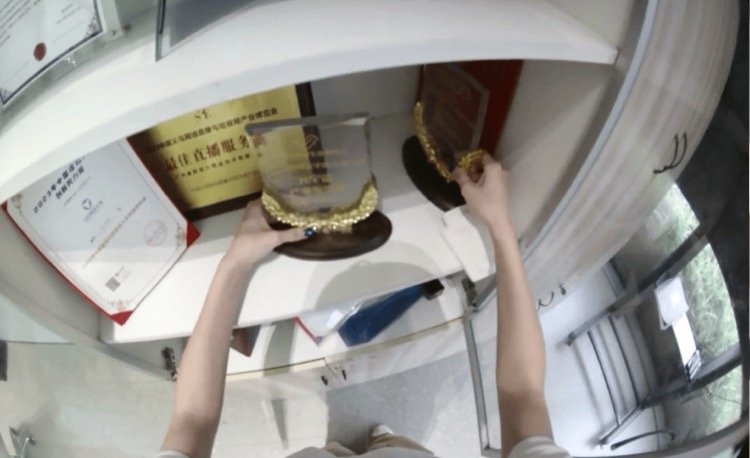
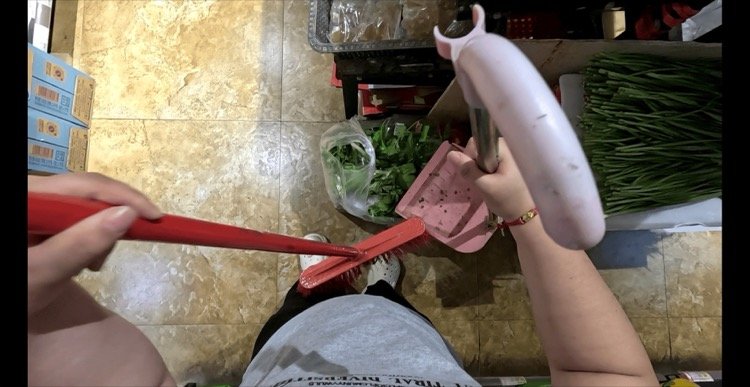
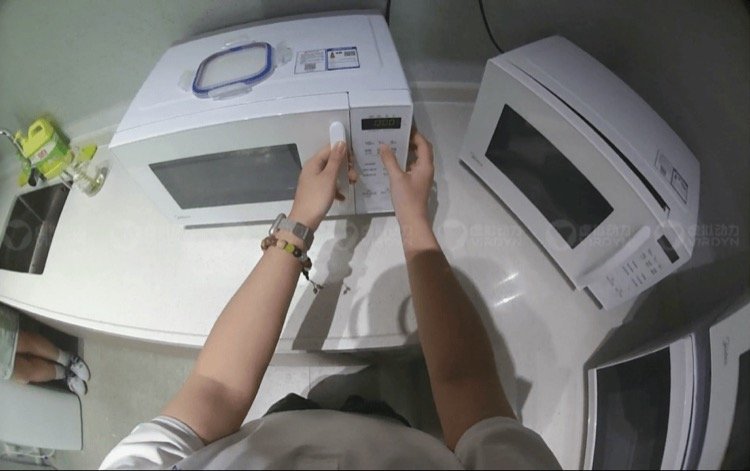
First-person video captures an operator’s hands, nearby objects, and workspace from a task-centered viewpoint. This makes egocentric data collection useful for studying human-object interaction.
Its value depends on visibility and annotation design. Head movement, motion blur, and hand occlusion can hide the exact moment that matters.
Annotate State Changes, Not Just Action Names
Consider “open container.” That label describes an activity, but a robot-learning pipeline may need more detail:
-
The container is initially closed.
-
The hand contacts the lid.
-
The lid begins moving.
-
The opening becomes accessible.
-
The operator releases the lid.
Public egocentric benchmarks include tasks involving object states and the timing of state changes. The practical lesson is to define observable evidence, rather than rely on broad descriptions alone.
Human Demonstrations Need an Embodiment Bridge
Human hands and robot grippers have different geometry, reach, and control constraints.
Egocentric video can support representation learning, action understanding, and demonstration analysis. It does not inherently provide calibrated robot joint commands, contact forces, or executable trajectories.
For Vision-Language-Action models, specify whether action supervision consists of human-motion estimates, robot-native commands, or another representation. These deliverables should not be treated as interchangeable.
What Public Robotics Datasets Reveal
Public datasets illustrate why annotation strategy must extend beyond drawing boxes.
DROID reports 76,000 demonstration trajectories, approximately 350 hours of interaction, and collection across 564 scenes. Its releases include visual observations alongside robot action and state information.
Open X-Embodiment brings together more than one million real-robot trajectories across 22 robot embodiments. Its standardized structure supports research using data from different robotic systems.
These projects are not controlled comparisons proving that video annotation outperforms image annotation. Instead, they demonstrate a broader requirement: robot policy training often depends on organized episodes connecting observations, actions, and context.
For procurement teams, this changes the question from “How many labels are included?” to “What learning signals does each delivered episode contain?”
Annotation Cost: Compare Accepted Supervision, Not Raw Volume
Image annotation is not always cheaper. A complex segmentation mask can require more effort than several straightforward bounding boxes.
Video annotation can use keyframes and interpolation to reduce repeated work. Annotators define selected positions, and software estimates intermediate labels.
However, interpolation requires review. Fast movement, changing object shape, occlusion, and camera motion can produce incorrect intermediate results.
A More Useful Cost Framework
Evaluate quotations against:
-
Accepted images or episodes.
-
Objects and annotation types per sample.
-
Required temporal density.
-
Review and correction effort.
-
Calibration and synchronization requirements.
-
Delivery documentation and integration support.
Compare total project cost against accepted, usable supervision—not simply collected hours or automatically generated labels.
Start with a representative pilot containing difficult cases. Otherwise, a quote based on easy footage may underestimate production effort.
A Practical Hybrid Annotation Workflow
A hybrid workflow preserves temporal information while concentrating detailed labeling where it matters most.
Step 1: Define the Training Objective
Specify whether the dataset supports perception, tracking, action understanding, policy learning, or multiple objectives.
Translate each objective into required labels. “Robot-ready data” is too vague to serve as an acceptance criterion.
Step 2: Build an Annotation Ontology
Define classes, attributes, event boundaries, and uncertainty rules.
For example, specify whether “grasp begins” means first visible contact or visible closure around the object. Annotators need one operational definition.
Include instructions for occluded, ambiguous, and unobservable events.
Step 3: Preserve Complete Episodes
Retain original video, timestamps, sensor associations, and episode identifiers.
Collect normal execution alongside failures, interruptions, and recovery attempts. Record participant permissions and address sensitive workplace information before distribution.
Step 4: Combine Spatial and Temporal Labels
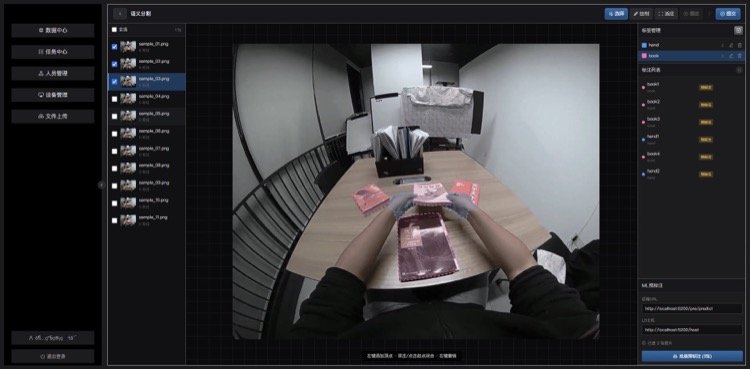
Use selected frames for detailed masks or keypoints. Add tracks and action intervals where continuity matters.
Increase review density around contact, rapid movement, occlusion, and state changes. Avoid assuming that uniformly spaced keyframes capture every important event.
Step 5: Test the Delivery in the Training Pipeline
Validate a small export before scaling production.
Check identifiers, coordinate conventions, timestamps, missing values, and label interpretation. A technically readable file can still encode the wrong meaning.
Quality Metrics That Matter Beyond Label Counts
Spatial Quality
For image labels, inspect:
-
Class correctness and missed objects.
-
Bounding-box or mask agreement against reviewed references.
-
Keypoint visibility and localization error.
-
Attribute consistency.
Acceptance thresholds should reflect the task. A coarse object box and a precision manipulation landmark need different tolerances.
Temporal Quality
For video labels, additionally inspect:
-
Identity switches and fragmented tracks.
-
Action-boundary disagreement.
-
Incorrect interpolation around occlusions.
-
Missing or inconsistent state transitions.
Define acceptable boundary error in time, not only frames, especially when recordings use different frame rates.
Dataset-Level Quality
Split training and evaluation data by episode—and, where appropriate, by location, operator, or session. Randomly splitting adjacent frames can create misleadingly easy evaluation conditions.
For multimodal datasets, verify alignment, calibration provenance, units, coordinate frames, and missing-sensor flags. Distinguish measured values from reconstructed estimates.
How Virdyn Supports Image and Video Annotation Projects
Virdyn’s VDEgo offering combines first-person data collection, annotation, and multimodal dataset delivery.
The VDEgo-C2 integrates binocular RGB capture with an IMU. Its relevance is the ability to collect associated visual and motion information, rather than video alone.
Depending on the agreed scope, a project can combine:
-
Scenario design and task planning.
-
Egocentric recording in real environments.
-
Image-level object or keypoint annotation.
-
Temporal action segmentation.
-
Data cleaning and quality review.
-
Structured exports and supporting documentation.
Specify which outputs are captured directly and which require reconstruction or additional processing. Camera pose, hand pose, and three-dimensional geometry should each have defined methods and validation criteria.
Likewise, MP4, CSV, JSON, and PLY describe file formats—not guaranteed compatibility with a training pipeline. Agree on schemas, timestamps, coordinate systems, and example loaders before full delivery.
Choose the Annotation Strategy Around the Learning Problem
Use image annotation when visual recognition and spatial precision dominate. Add video annotation when the model needs identity, motion, interaction timing, or task progression.
For autonomous robot training, combining both is often more useful than treating them as competing purchases.
Contact Virdyn with your target robot, operating environment, training objective, and required outputs. Request a pilot dataset with an agreed annotation schema, representative edge cases, and measurable acceptance criteria before committing to production.
Frequently Asked Questions
Is Video Annotation Always Better for Autonomous Robot Training?
No. Video annotation is valuable when temporal relationships matter. Image annotation may be sufficient for a detection or inspection model, particularly when the dataset provides strong visual diversity.
Can Image Annotation Be Created From Video?
Yes. Frames can be extracted and labeled individually. Preserve episode identifiers and timestamps so the samples remain traceable and can later support temporal labeling.
Does Every Video Frame Need Manual Annotation?
No. Keyframes and interpolation can reduce manual work. Review requirements should increase around irregular motion, occlusion, contact events, and abrupt state changes.
Are Annotated Human Videos Enough to Train a Robot Policy?
Not necessarily. They can support visual and behavioral learning, but executable control may require robot-action data, embodiment mapping, calibration, or additional learning methods.
What Should a Dataset Pilot Include?
Include typical operations, difficult visibility conditions, failures, and recovery examples. Deliver sample annotations, documentation, quality results, and an export that the training team can actually load.
Can Synthetic Data Replace Real-World Annotation?
Not automatically. Simulation can expand scenario coverage and generate labels, but its usefulness depends on visual and physical fidelity. Validate performance on held-out real-world data before reducing real collection.
References
1. CVAT Documentation. “Track Mode.” Official guidance on persistent tracks, keyframes, interpolation, and handling objects that leave view. Supports the annotation-workflow and interpolation discussion. https://docs.cvat.ai/docs/annotation/manual-annotation/modes/track-mode-basics/
2. Ego4D. “Egocentric 4D Perception.” Official dataset and benchmark overview, including hand-object interactions, object state changes, and temporal localization. Supports the egocentric annotation discussion. https://ego4d-data.org/
3. Khazatsky, A., et al. “DROID: A Large-Scale In-the-Wild Robot Manipulation Dataset.” Official project page. Source for the reported 76,000 trajectories, approximately 350 hours, and 564 scenes. https://droid-dataset.github.io/
4. DROID Documentation. “The DROID Dataset.” Technical description of visual recordings, robot action and state information, and dataset delivery structures. Supports the distinction between labeled video and robot-policy training episodes. https://droid-dataset.github.io/droid/the-droid-dataset
5. Open X-Embodiment Collaboration. “Open X-Embodiment: Robotic Learning Datasets and RT-X Models.” Official project overview. Source for more than one million real-robot trajectories and 22 robot embodiments. https://robotics-transformer-x.github.io/
6. VDEgo. “Egocentric Data Collection & AI Dataset Provider.” Official company description of first-person collection, VDEgo-C2 hardware, processing, annotation, and delivery formats. Company capability statements are supplier-reported, not independent performance verification. https://vdegoai.com/
Hot Tags: Image Annotation, Video Annotation, Robot Training Data, AI Data Annotation, Egocentric Data Collection, Embodied AI Datasets, Robotics Data Collection, Computer Vision Annotation, Multimodal Datasets, Custom AI Datasets
SHARE